Cardmarket Vacation Status and outstanding orders
On this page
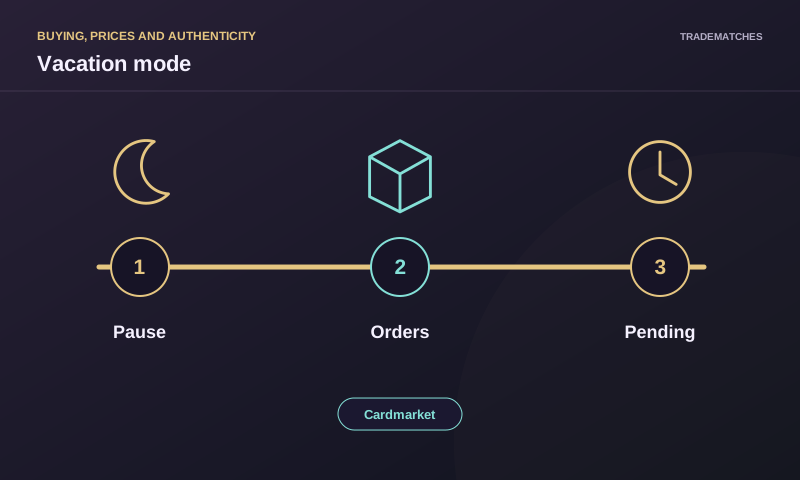
Cardmarket Vacation Status hides your offers and prevents new purchases, but does not cancel orders already placed. Existing orders still need to be completed through the normal process. Activate the status before you become unavailable rather than expecting it to extend shipping arrangements retrospectively.
The official Vacation Status help page describes the setting and the continuing responsibility for outstanding orders. The practical task is to pause new sales while keeping a clear record of what you have already agreed to fulfil.
What changes when you activate it
Cardmarket describes Vacation Status as a way to hide offers so customers cannot make new purchases from those offers. It is an account-availability tool. You do not need to delete your entire inventory merely to take a temporary break.
The official route is through your account and profile settings, where the vacation option is available. Use the current account interface and help page if the labels differ in your language. Once the setting is changed, check the account's status rather than relying only on having clicked a control.
The setting concerns availability for new sales. It does not erase the history of completed sales, remove your responsibility for existing orders or convert every pending transaction into a cancellation. Those items remain separate work to manage.
| Item | Effect of Vacation Status |
|---|---|
| Offers available for new purchases | Hidden through the described status |
| Order placed before activation | Still needs completion |
| Inventory you want to keep for later | No need to delete it solely to pause sales |
| A disagreement about an existing order | Requires the normal order or support process |
| Reactivation problem | Check the account and contact support if necessary |
Check outstanding orders before leaving
Open the order overview and identify every unfinished order. Separate those needing packing or shipment from those already sent and those needing some other response. The exact status shown on the order is more useful than a memory that “everything important is done.”
Verify that the correct cards are reserved for each buyer. An account pause does not fix a missing item or an inventory mismatch. Resolve those facts while you still have access to your cards, packing materials and the actual order information.
Keep the shipping arrangement attached to each order. An order can require a different method or documentation from another even if the card values are similar. Vacation Status does not replace those individual instructions with one general holiday plan.
Activation does not extend an existing commitment
Suppose an order was placed on Monday and you activate vacation mode on Tuesday before travelling. The Monday order remains an existing order. You cannot treat the new account status as proof that the buyer agreed to wait until your return.
Complete it according to the applicable order arrangements. If a real problem prevents fulfilment, use the normal platform process and explain the actual situation through the relevant channel. Do not invent a new shipping deadline solely because your offers are now hidden.
For a seller in Spain, transport depends on the carrier and service actually selected. Check the current collection or drop-off arrangements for that shipment. A holiday in your personal calendar does not automatically change the carrier's service or the platform's order requirements.
Pause before the first unavailable day
Choose the pause time based on when you can last reliably handle a newly placed order. If you can pack on Thursday but cannot access the cards after that, leaving offers active through Friday may create work you can no longer complete normally.
The right lead time depends on your own operation and the orders you receive. This article does not invent a universal number of days or a platform shipping extension. Work backwards from the tasks you must finish and the actual period of unavailability.
Consider access to communication as well as access to inventory. A short trip can still create problems if you cannot review an existing order that needs attention. The purpose of the pause is to align new sales with your ability to fulfil them, rather than merely marking travel dates.
Keep a small fulfilment record
For each outstanding order, record the order reference, reserved cards, packing status, shipment method and any proof you need to keep. Use the actual order data and avoid duplicating private buyer information unnecessarily in unrelated files.
Mark tasks as complete when they are actually completed. A prepared envelope is not the same as a parcel accepted by the carrier. An order marked sent should correspond to the platform's process and the shipment you actually made.
This record is useful on return because it separates old work from newly available sales. It also helps you identify whether a later question concerns a pre-vacation shipment rather than a purchase you accidentally accepted while unavailable.
A hypothetical five-order departure
Imagine three orders ready to pack, one already sent and one awaiting an unresolved stock check. Activate Vacation Status before accepting more purchases. Then finish the three packing tasks through their agreed shipment processes, retain the sent order's documentation and address the stock uncertainty normally.
The account setting solves the incoming-sales problem, not the unresolved stock problem. Treating all five as “paused” would conceal the different obligations. The useful list contains the next concrete action for each order.
If another person helps fulfil orders, ensure the arrangement actually covers the correct inventory and platform requirements before relying on it. Do not assume merely naming a helper makes every shipment handled. The account holder still needs a reliable process for the work already accepted.
Return to sales after checking inventory
If your inventory record says two copies remain but one was traded while the offers were hidden, correct the quantity before reactivation. Vacation Status prevents the new purchase while active; it does not synchronise separate physical trades with your listings. A quick quantity check now can prevent an avoidable missing-card problem after sales resume.
Before reactivating, compare the remaining physical cards with the inventory you intend to make available. Pre-vacation sales, separate trades or cards moved elsewhere may have changed what you own. Hidden offers can still need correction before they become visible again.
Check your ability to process new orders now, including packing supplies and the relevant carrier arrangements. Returning home is not necessarily the same as being ready to ship. Reactivate when the operational tasks can actually resume.
After changing the status, verify that the account behaves as expected through the current interface. If offers remain unavailable or the status cannot be changed, use support instead of repeatedly deleting and recreating inventory in an attempt to force the result.
Support-imposed vacation is a different situation
The official help explains that support can also put an account into Vacation Status in response to rule issues. That does not mean every account displaying the status has a problem; many sellers use it voluntarily for ordinary breaks.
If your account has been placed in that status by support, read the actual notice and follow the relevant support process. A voluntary return-from-holiday routine may not resolve the reason it was imposed. Avoid guessing at the cause from the status label alone.
For buyers, a seller's vacation status is primarily an availability signal. Do not infer wrongdoing from it. For sellers, an imposed status deserves attention to the documented reason rather than an assumption that waiting a few days automatically restores normal operation.
Avoid common workarounds
Deleting every listing creates unnecessary rebuilding work when the intended task is a temporary pause. Leaving offers active with only a profile note can also fail to prevent purchases. Use the platform feature designed to change availability.
Do not cancel existing orders as a routine consequence of switching the setting. Cancellation is a different process, with its own circumstances. If one specific order cannot be fulfilled, address that order directly rather than treating the holiday setting as a blanket explanation.
Finally, do not reactivate from habit while still unable to access your stock. The useful result is a consistent relationship between visible offers, available cards and reliable fulfilment. Check those three facts together when choosing when to resume.
Frequently asked questions
Does vacation mode cancel pending orders?
No. Orders already placed still need to be completed through the normal process. The status prevents new purchases from the hidden offers.
Do I need to delete all my cards to take a break?
No. Vacation Status is intended to pause offer availability without rebuilding your entire inventory afterwards.
What if I cannot reactivate my account normally?
Check the account's actual status and any support notice. Contact Cardmarket support if the setting cannot be changed or the documented issue requires their intervention.