Card centering: measuring 60/40 without predicting grades
On this page
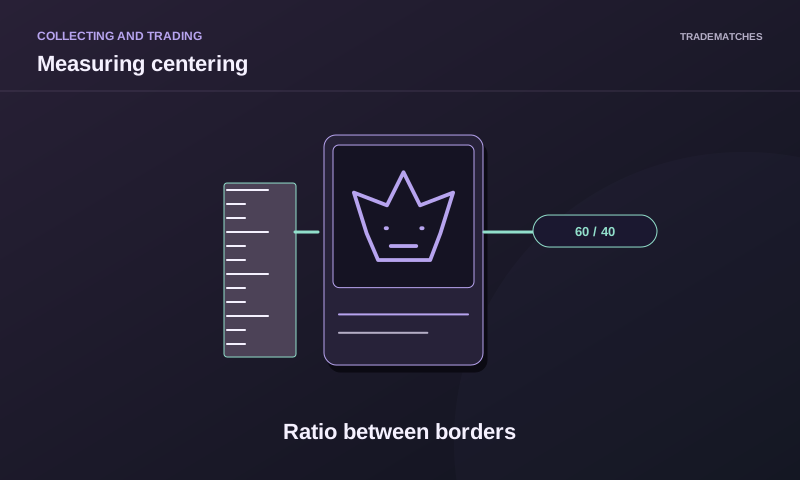
A 60/40 centering measurement compares two opposite border widths: the wider occupies 60% of their combined width and the narrower 40%. It does not mean that 60% of the illustration is on one side. Measure left against right, and top against bottom, separately. Repeat for the back if needed.
The calculator below converts a pair of widths into percentages. It cannot locate the correct border in a photograph, compensate for perspective or predict a grade. Those limitations matter as much as the arithmetic, especially with irregular artwork and textured or borderless cards.
Choose a reference before measuring
For a conventional framed card, identify the outer card edge and a consistent inner printed boundary. Use the same kind of boundary on both opposing sides. A decorative flourish on the left should not be compared with an unrelated text box on the right.
Some designs do not have an unambiguous frame. Artwork may intentionally fade into a border or sit asymmetrically. A numerical result based on a convenient feature can be repeatable but still measure the wrong thing. Record the chosen reference so another person can understand what you measured.
Avoid placing a rigid ruler directly across a valuable foil surface. A photograph or scan can provide a working estimate while limiting contact. That estimate only improves on visual guesswork if the image itself is sufficiently straight, clear and faithful to the card's edges.
Calculate the two percentages
Call the first border width A and the opposite width B. Calculate A divided by A plus B, then multiply by 100. The other percentage is B divided by A plus B, multiplied by 100. The two percentages add to 100 apart from displayed rounding.
For example, hypothetical borders of 3 mm and 2 mm give 3 divided by 5 and 2 divided by 5: 60% and 40%. The same calculation works with pixels if both widths come from the same suitable image. A pair of 30 pixels and 20 pixels produces the same ratio, not the same physical size.
| Hypothetical opposing widths | Ratio in input order | Interpretation |
|---|---|---|
| 2 and 2 | 50/50 | Equal widths at the chosen reference |
| 3 and 2 | 60/40 | First border is wider |
| 2 and 3 | 40/60 | Second border is wider |
| 4 and 1 | 80/20 | Large difference in measured widths |
| 0 and 0 | Undefined | There is no total width to compare |
The calculator preserves your input order. If you enter left first, a 40/60 result means the left measurement is the smaller one. When using the usual wider-first shorthand, that same pair would be described as 60/40. Keep your labels in the record to avoid reversing the direction.
Keep horizontal and vertical measurements separate
A card can have equal left and right borders but noticeably unequal top and bottom borders. Combining all four widths into a single percentage hides that difference. Record the horizontal pair and vertical pair as separate results, with their reference points.
Repeat the process on the back using an appropriate rear reference. The back's design can differ substantially, so the exact measurement method may need to change. Do not infer rear centering from a well-balanced front photograph.
If a border changes width along its length, sample more than one position. That can reveal rotation or another geometric issue which a midpoint measurement misses. Do not silently average different positions into an apparently precise result. Describe the variation and keep the underlying measurements.
Perspective can create a false imbalance
A camera angled over the card can make the nearer border look wider. A lens can also distort the image, and a sleeve reflection can obscure the true edge. Rotating or cropping a photograph does not automatically correct those effects.
Use an image taken as squarely as practical, with all four outer edges visible. Check that the card is not being bent to sit flat. If the apparent shape is a pronounced trapezoid, treat the measurement as unreliable rather than calculating more decimal places.
For a buying decision, ask for a clear perpendicular view and relevant close-ups. A seller's single off-angle picture is weak evidence for a precise centering claim. An image edited to exaggerate contrast or hide a boundary may be unsuitable even when its resolution is high.
Report uncertainty rather than false precision
Suppose you estimate opposing borders as 3.0 mm and 2.0 mm but each edge is uncertain by about 0.2 mm. Plausible combinations include 2.8 with 2.2 and 3.2 with 1.8, giving ratios from 56/44 to 64/36. A displayed 60.00% does not remove that measurement uncertainty.
For pixels, the equivalent issue is deciding where the boundary starts. Moving a reference by one or two pixels can matter when the border is narrow. Repeating the measurement with the same mistaken boundary does not make it accurate.
Write a short note such as approximate front horizontal ratio, based on these borders in this image. That is more informative than saying confirmed perfect centering without recording the method. It also makes a later disagreement easier to resolve.
A centering ratio is only one grading attribute
Grading companies publish their own standards and may assess front and back differently. Read the current standard for the service you plan to use. Avoid applying an old threshold from a video or a different company's label.
Corners, edges, surface, printing and authenticity can still affect the outcome even when a chosen centering measurement appears favourable. The calculator evaluates none of them. An attractive ratio cannot establish a pristine surface or prove that a card has not been altered.
For comparing two raw cards, use centering as one recorded observation alongside condition photographs and your collecting preference. If your purpose is simply to choose an illustration you enjoy, you do not need to turn every small asymmetry into a predicted market premium.
Centering calculator
Frequently asked questions
Can I enter pixels instead of millimetres?
Yes, provided both widths use the same unit and a suitable shared reference. The calculator produces a ratio, not a physical size. Perspective and an incorrect boundary still make the estimate unreliable.
Does 50/50 mean the card will receive a top grade?
No. It means the two widths entered are equal. It says nothing about the other axis, rear centering, surface, edges, corners or the grader's assessment.
Which side should I enter first?
Use a consistent order, such as left then right or top then bottom. The output follows that order. Write down the labels so a reversed ratio is not mistaken for a different measurement.